
Golfers have been asking ChatGPT where to play for a while now. "Best public course near Scottsdale under $100." "Where can I hit balls tonight?" "Good course for a 16-person outing in March." ChatGPT answers those questions with real courses, and until this month, nobody at those courses could see it happening or do anything about it.
That changed on November 10, 2026. OpenAI launched Businesses in ChatGPT, and with it a Business Hub where owners can claim their listing, correct their details, see how often ChatGPT mentions them, and (for some businesses) set up a business chat agent.
We've already claimed profiles for golf clubs we work with. Here's how it works, what we learned, and what we'd tell any course to do this week.
Why this matters for a golf course
Think of it as Google Business Profile for ChatGPT. Your Google profile decides what golfers see when they search on Google and Maps. Your ChatGPT profile is where ChatGPT gets the facts it shows about you, and it's where you see how often you're coming up.
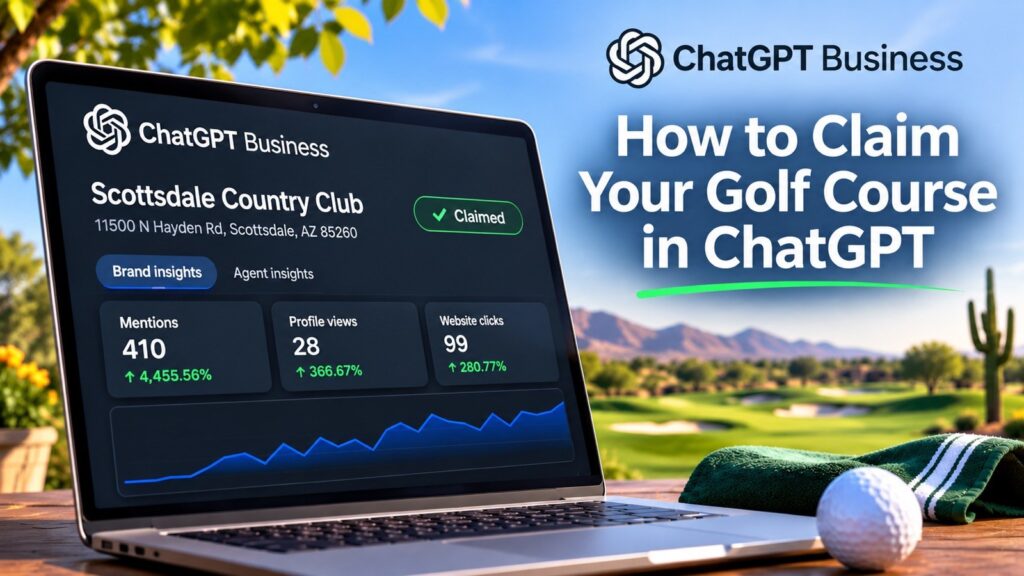
The numbers are already real. One Arizona golf club we work with was mentioned 410 times in ChatGPT in 28 days, and those answers sent 99 clicks to its website. Most of that happened before anyone at the club had claimed anything. (Here's the full breakdown.)
The conversation about your course is already happening. Claiming your profile lets you see it and make sure the facts are right.
What you need before you start
Get these together first. It saves a lot of back and forth.
- Your exact business name and address as they appear on Google. ChatGPT local listings are built on existing U.S. listings, so you're claiming a listing that already exists, not creating a new one.
- Your website, and access to it. One way to verify is a DNS TXT record on your domain.
- A business phone or email you can receive a code on, if you verify that way instead.
- The person who will own the profile. That person goes through a government ID check with OpenAI's identity partner (Persona). Pick someone who will still be at the course next year: a GM, owner, or director of golf, not a seasonal staffer.
How to claim your course, step by step
- Go to the Business Hub in ChatGPT and search for your course by name and address.
- Choose your listing. If you see duplicates (it happens with courses that have a restaurant or event venue on the same property), claim the one that matches your main address and website.
- Verify the business. OpenAI offers phone or text, email, website domain (DNS), or Shopify. Domain verification is the most reliable for courses, because the front desk phone often goes to a tee time line or an answering service.
- Verify your identity. The profile manager completes a Persona ID check. Until that's done, you can see insights but you can't edit your business info or publish a business agent. We have a claimed club sitting at exactly this step right now, so don't skip it.
- Confirm website access. The hub shows whether ChatGPT can read your website. You want to see "Access confirmed." If you don't, your site may be blocking OpenAI's crawler in robots.txt or through a security plugin, and that's worth fixing first.
- Fix your details. Hours, phone, website link, and description should match your website and your Google profile word for word. Golfers notice when three sources disagree, and so do AI systems.
- Invite your team or agency. The hub has an Invite button, so the owner can give access without sharing a login.
What you get once you're claimed
- Brand insights for the last 7 or 28 days: mentions (how often ChatGPT showed you in an answer), profile views, and website clicks.
- Top discovery topics, which are the themes of the conversations that led to you. You don't see individual chats. OpenAI says it doesn't share users' conversations with businesses.
- Control of your listing: hours, contact info, website and description.
- Business agent setup, where it's available. More on that in How we set up a ChatGPT business agent for a golf course.
Claiming is free right now. OpenAI hasn't promised it will stay free.
What claiming doesn't do
Claiming your profile doesn't move you up in ChatGPT's answers, and OpenAI says paying doesn't either. Sponsored placements are labeled and kept separate. Be skeptical of anyone who sells this as "ChatGPT rankings."
What claiming does do is make sure that when ChatGPT talks about your course, it has the right facts, and that you can see what's happening. The things that earn mentions are the same things that have always worked: a fast, clear website with your rates, hours, amenities and booking link on it, good recent reviews, and a Google profile that tells the same story.
Mistakes we've already seen
- Claiming with a personal email that leaves when the employee does.
- Stopping before the ID check, so the profile is claimed but can't be edited.
- Letting the hours drift. Seasonal hours change. If your website says one thing and ChatGPT says another, golfers call, or they go somewhere else.
- Blocking the crawler. If ChatGPT can't read your site, it fills in the blanks from wherever it can.
Want us to handle it?
smbGOLF is a digital hospitality agency for golf courses. We claim and verify ChatGPT business profiles, keep them matched to your website and Google profile, add ChatGPT mentions and clicks to the reports you already get, and set up your business agent when it's available for your course.
See ChatGPT Business Profiles or Find Mike to talk about your course.